
PDF to MusicXML converter
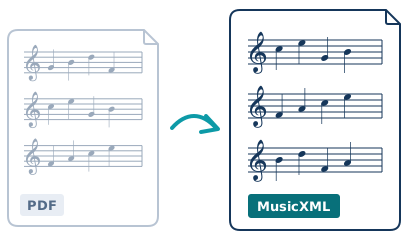
Convert a sheet music PDF to MusicXML, free, then open the score in MuseScore, Sibelius or Dorico. Early access: results depend on the score, so check the file before you rely on it.

Only upload music you have the right to use. How we handle your file
Sign in to keep your conversions in one place

or drop it here
Engraved PDFs, up to 60 pages and 40 MB, 10 a day.

 Reading the page
 Finding the parts
 Writing the file
Big scores take a few minutes. Keep this page open: your file appears here when it is ready.


Parts
Bars to check
Delete your file and its result? This can't be undone.
Done. We've deleted your file and everything we made from it.
Report a problem
Your conversions on this device
How it works
- Choose a PDF of your sheet music, the kind your notation software exports.
- We read the page, find the parts and write a MusicXML file.
- Download it, open it in your notation software and check the bars we point out.
What works well, and what doesn't yet
- Works well
- Engraved PDFs exported from MuseScore, Sibelius, Dorico or Finale, up to 60 pages.
- Not yet
- Scanned pages, photos and handwritten music. They are coming soon.
What is MusicXML?
MusicXML is the standard file for sharing sheet music between notation programs. It keeps the notes, rhythms, parts and markings, so you can edit the score, play it back or make parts instead of retyping it from a PDF.
Open the file in your notation software
- MuseScore
- File, then Open, and choose the .musicxml file.
- Sibelius
- File, then Open, and choose the file. Sibelius imports it as a new score.
- Dorico
- File, then Import, then MusicXML, and choose the file.
- Finale
- File, then Import, then MusicXML, and choose the file.
How it works
Turn a sheet music PDF into a MusicXML file you can edit in your notation software. It works best on engraved PDFs, the kind MuseScore, Sibelius, Dorico or Finale export. Scans and handwriting are coming soon.
FAQ
- Is the PDF to MusicXML converter free?
- Yes. You can convert up to 10 PDFs a day, and you do not need an account.
- Can it read scanned sheet music or photos?
- Not yet. It reads engraved PDFs exported from notation software. Scans, photos and handwriting are coming soon.
- How good are the results?
- It depends on the score. Clean engraved PDFs usually convert well, and the page lists the bars you should check. Always check the file before you rely on it.
- Which programs can open the MusicXML file?
- MuseScore, Sibelius, Dorico, Finale and most other notation programs open MusicXML.
- What happens to my file?
- We delete it, and the MusicXML file we made from it, within 25 hours of the conversion finishing. We keep a file to improve the converter only if you tick the box to let us. You can delete your file at any time with Delete my file now.
- How big can the PDF be?
- Up to 60 pages and 40 MB.
- Can I convert music I found online?
- Only upload music you have the right to use: music you wrote, music that is out of copyright, or music you have permission to use.
- Do I need an account?
- No. Signing in keeps your conversions in one place.